CondenseVideo

Video compression guides

Compression decisions you can defend after the export finishes.

Each guide starts with the constraint that matters in production: viewer quality, delivery target, codec support, credit spend, or API reliability. Use the hub to pick the failure mode you need to prevent before changing settings.

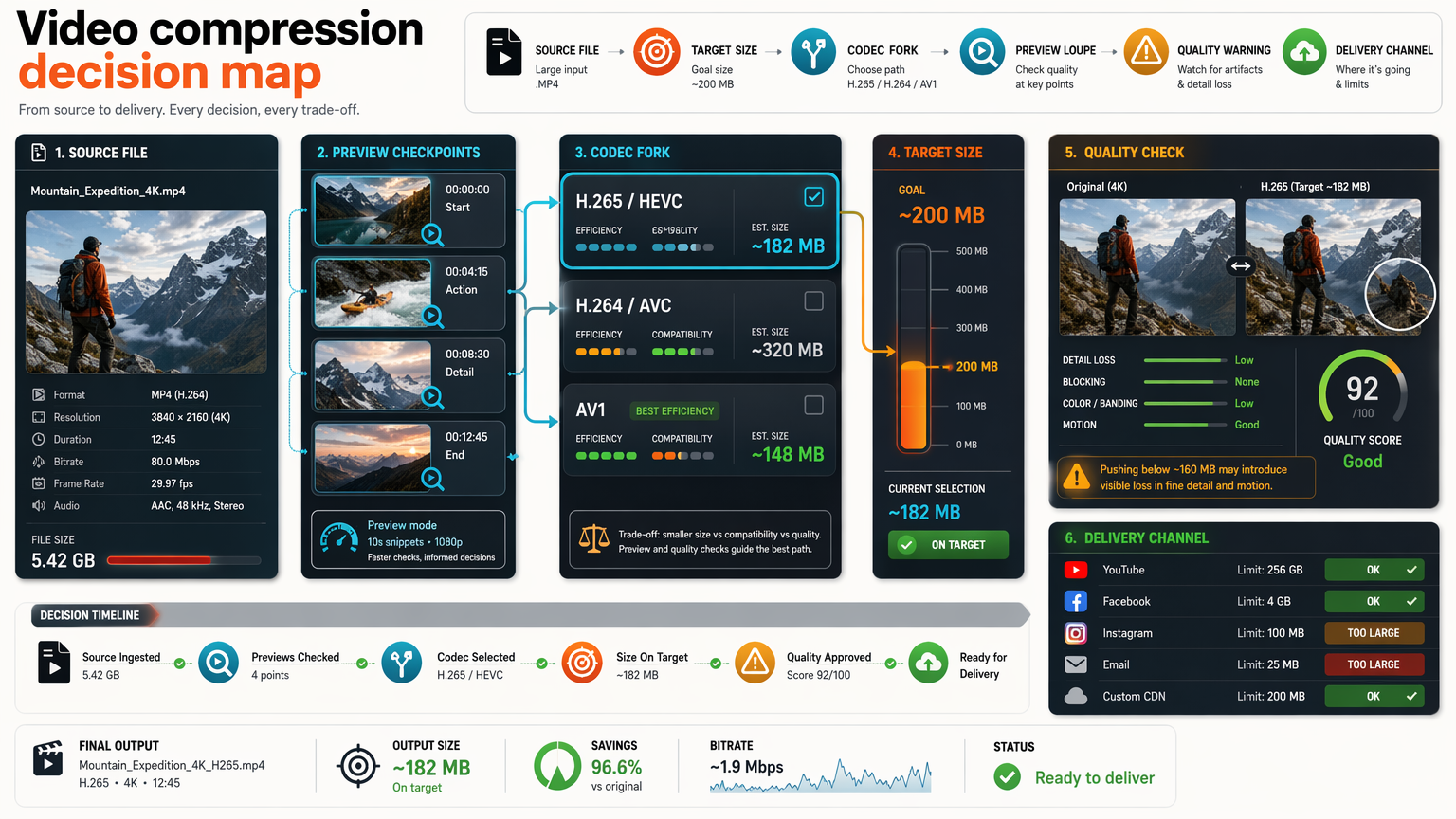
Video compression decision map showing source file, target size, codec choice, preview checkpoints, quality warnings, and delivery channel decisions.
Decision map for choosing preview, codec, target size, quality gates, and delivery channel before the final render.
Quality riskFaces, text, gradients, motion, audio sync Codec riskPlayback support, encode time, fallback path Delivery riskAttachment cap, safety margin, recipient clarity Product riskAsync jobs, retries, webhooks, reports
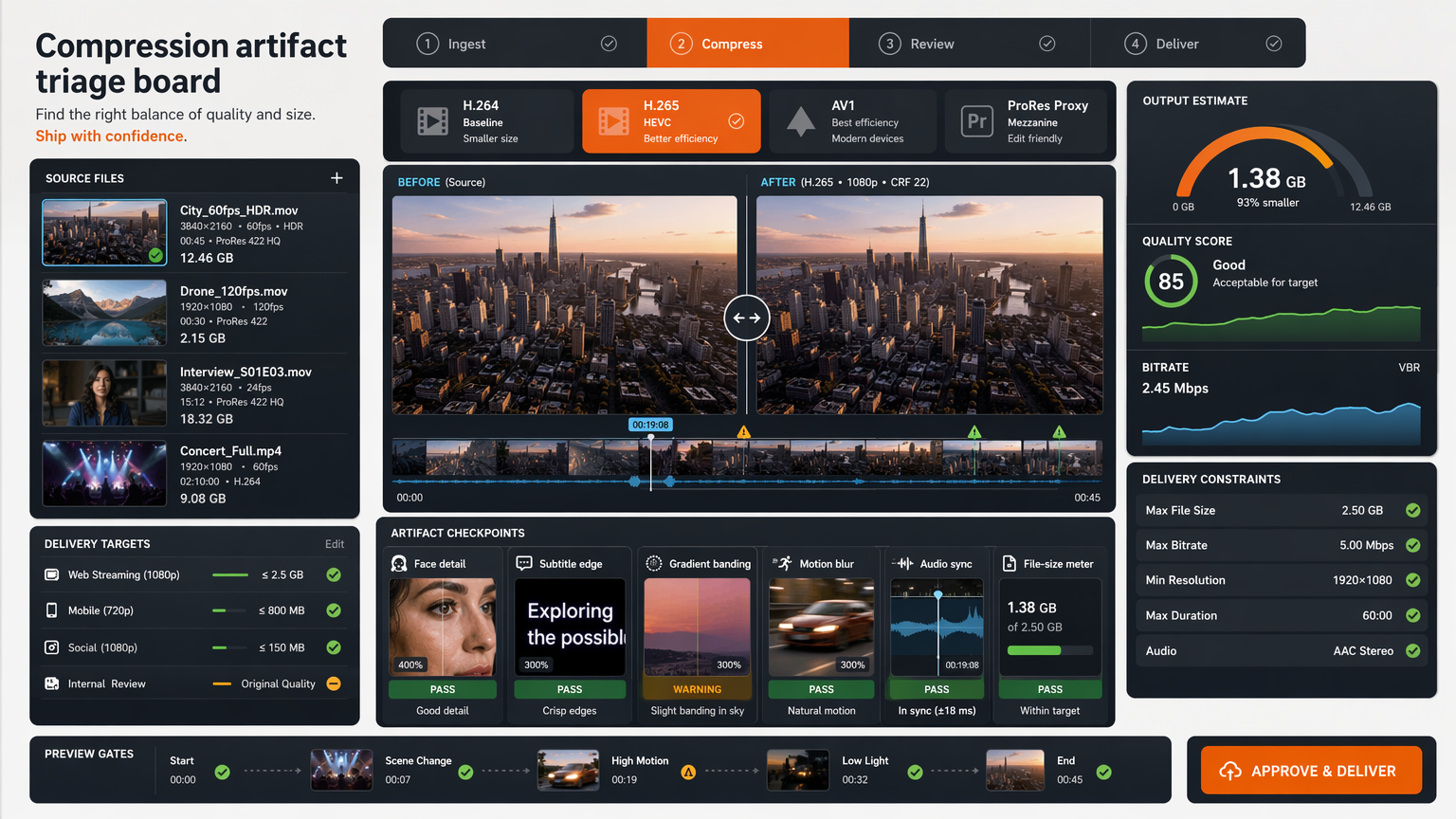
Compression quality triage board showing face detail, subtitle edge clarity, gradient banding, motion stability, audio sync, and file-size review.
Quality workflow

Compress video without losing quality

Use source-aware previewing to protect the details viewers actually judge: faces, subtitles, UI text, gradients, motion, audio sync, and playback compatibility.

  • Best when the output must still look trustworthy.
  • Includes 9 visual review checkpoints.
Read the quality workflow
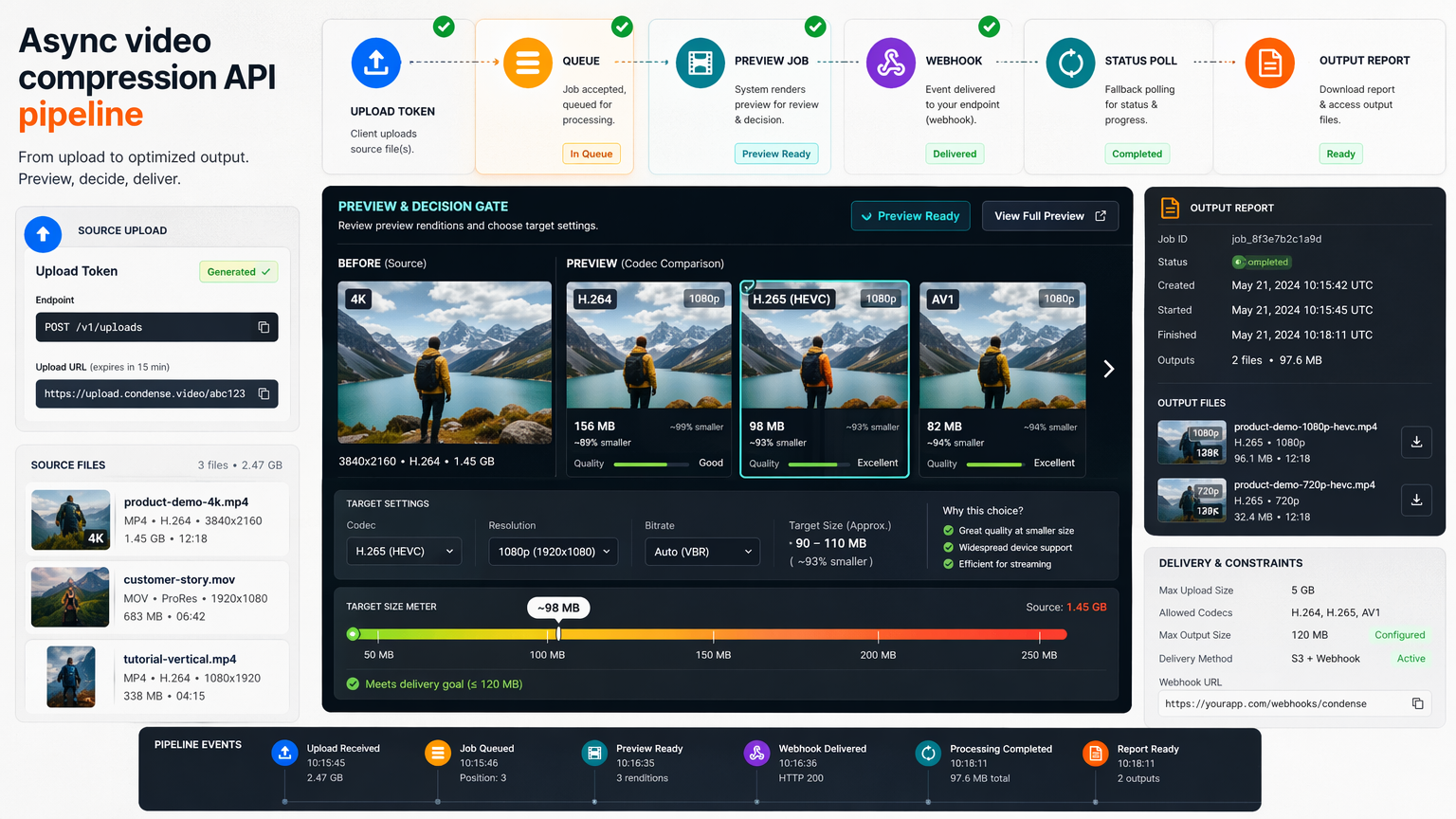
Async video compression API pipeline showing upload token, queue lane, preview job, webhook callback, status polling, and output report.
Developer guide

Online video compression API guide

Design a compression product flow with source registration, async jobs, preview renders, polling, webhooks, credit estimates, retries, and output reports.

  • Best when compression runs inside a SaaS workflow.
  • Focuses on state, cost, and failure handling.
Build the API workflow
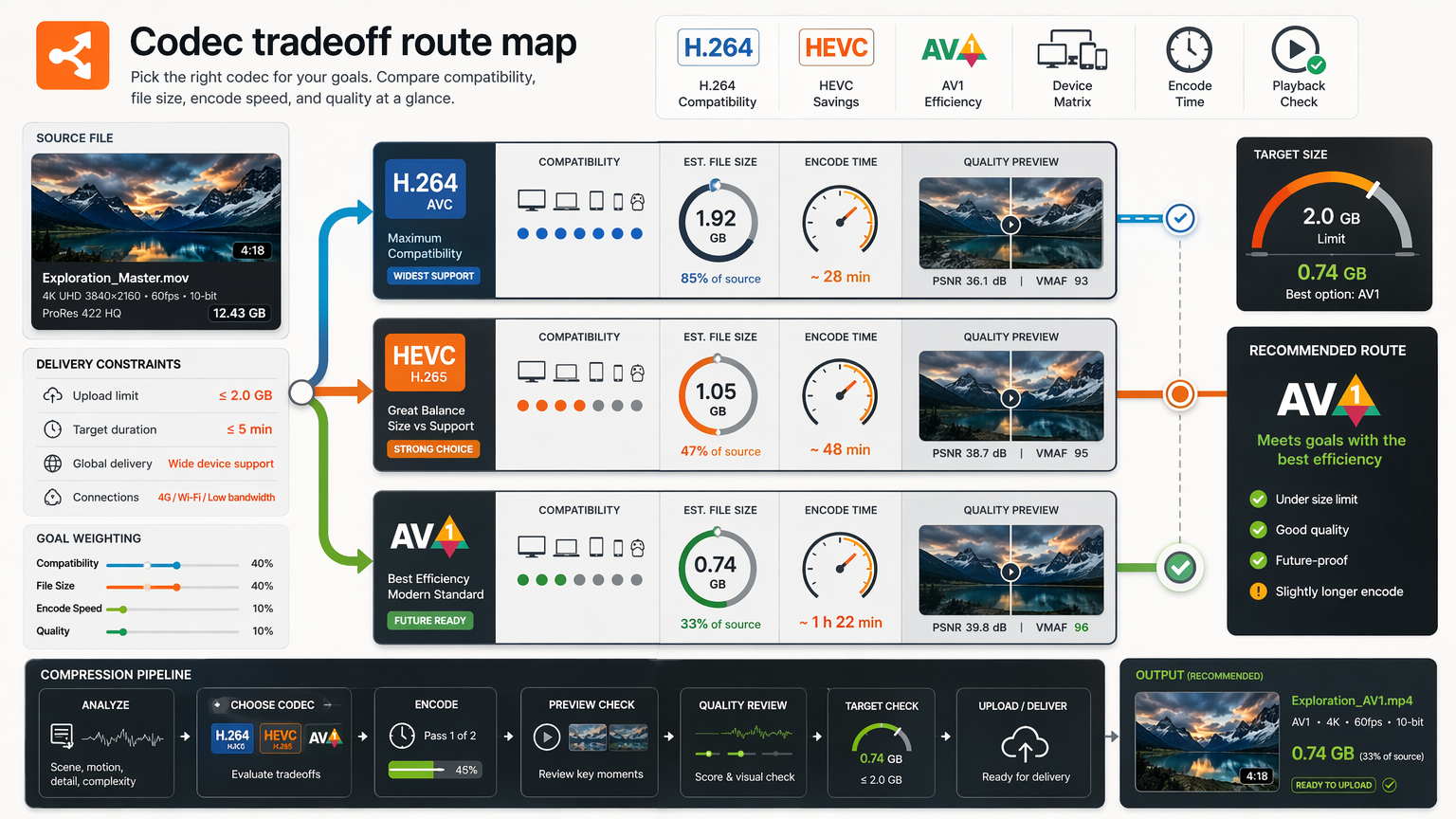
Codec tradeoff route map comparing H.264 compatibility, HEVC savings, AV1 efficiency, device matrix, encode clock, and playback check.
Codec choice

AV1 vs HEVC vs H.264

Choose the codec by playback destination first, then weigh file size, encode time, compute cost, visual artifacts, and fallback requirements.

  • Best when viewers use unknown devices.
  • Separates compatibility from compression savings.
Compare codec tradeoffs
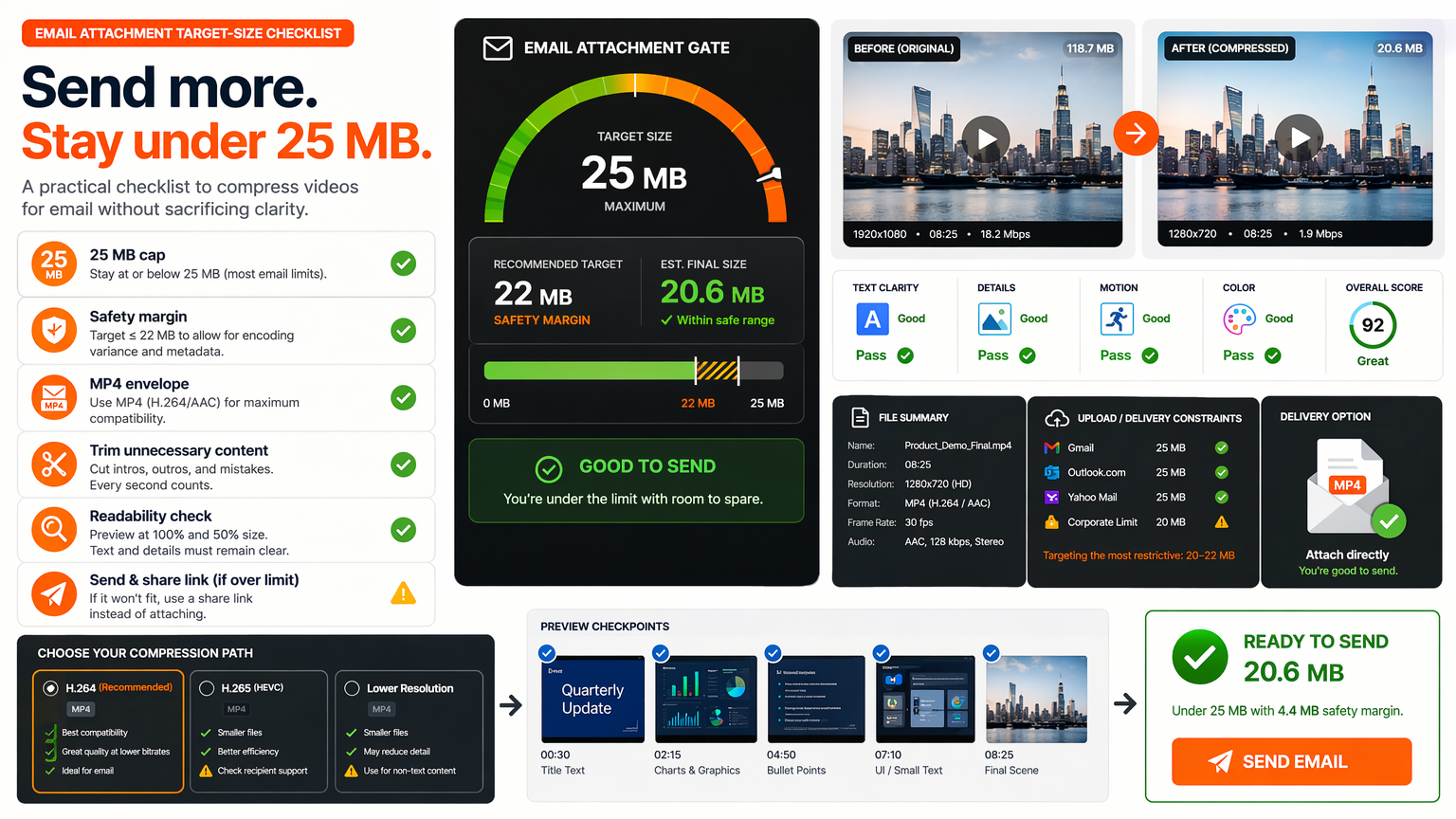
Email attachment target-size checklist showing 25 MB cap, safety margin, MP4 envelope, trim scissors, readability zoom, and send-link fallback.
Target size

Compress video for email limits

Plan a file-size target below the cap, trim before destroying quality, use MP4 compatibility, and check what the recipient must still understand.

  • Best when the attachment cannot bounce.
  • Includes safety-margin and link-fallback logic.
Plan the email version
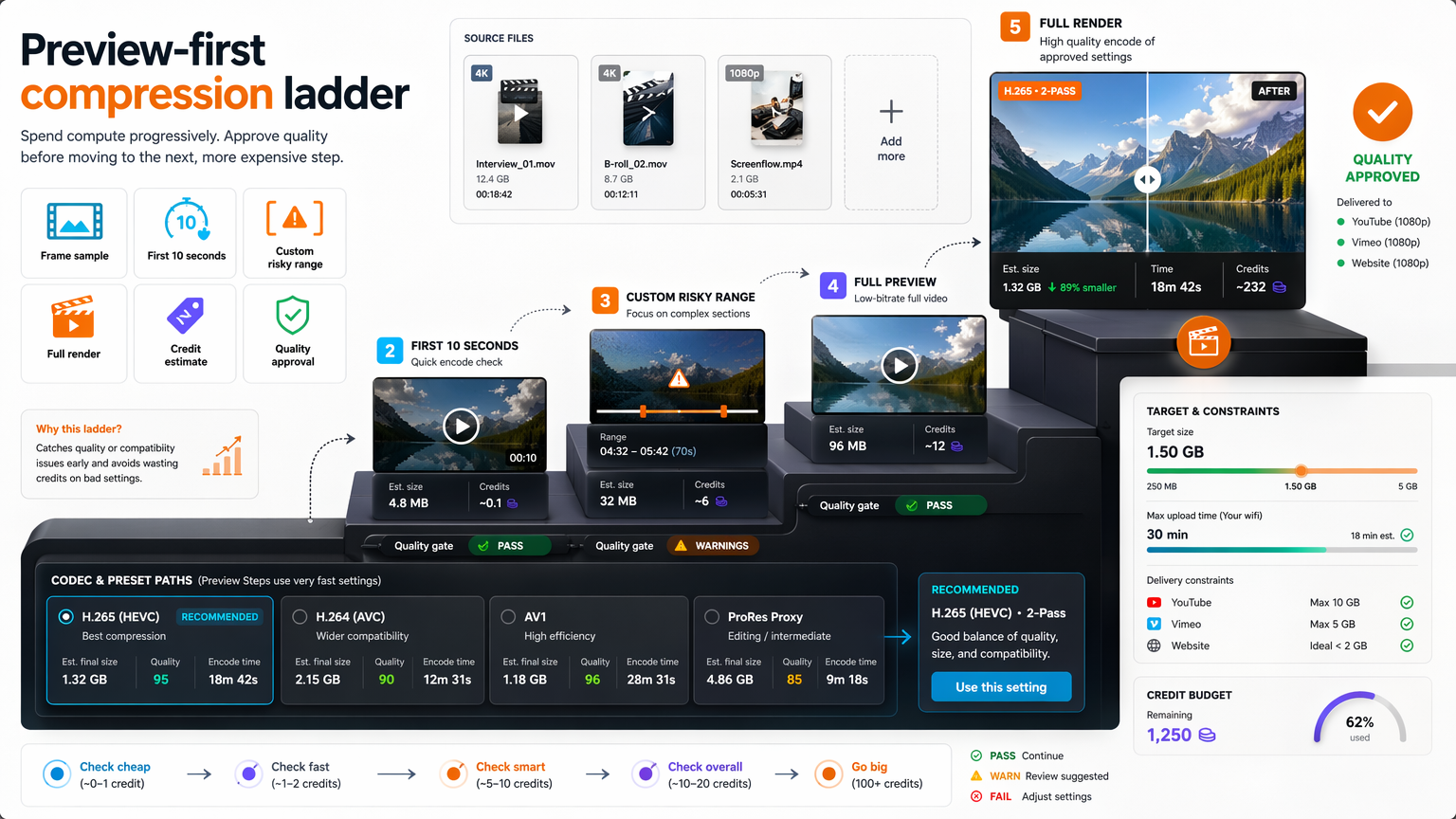
Preview-first compression ladder showing frame sample, first 10 seconds, custom risky range, full render, credit estimate, and quality approval.
Preview first

Preview-first compression workflow

Use frame samples, first-10-second previews, custom risky ranges, and approval gates so full renders confirm decisions instead of discovering mistakes.

  • Best when full renders waste time or credits.
  • Turns compression into a staged review process.
Use the preview ladder